
Logos are everywhere. They’re on your phone, in your fridge, and all over your favorite coffee shop. But in 2025, we’re not just designing cool-looking logos—we’re making sure everyone can see and understand them. That means thinking about contrast, size, and legibility. Let’s dive in and make logos more friendly for all!
TL;DR (Too Long; Didn’t Read)
In 2025, logos must be more accessible than ever. This means using high contrast, clear fonts, and proper sizing to help everyone—especially those with vision impairments—see and recognize them. Good accessibility isn’t just nice; it’s necessary. And bonus? It makes your brand stronger too.
Why Accessibility Matters in 2025
In a world where everyone uses digital devices, accessibility is key. Over 2 billion people globally have some form of visual impairment. If your logo isn’t easy to see or read, you’re shutting out a big part of your audience.
Plus, accessibility is now part of many laws and guidelines. Companies that ignore it take big risks—not just with customer service, but legally too. So yes, logo accessibility is a big deal.
Let’s Break It Down!
There are three major parts to a truly accessible logo:
- Contrast
- Size
- Legibility
1. Contrast: Make It Pop
Contrast is about how much your logo stands out from its background. You want people to see your logo at a glance. High contrast means better visibility—for everyone.
According to the latest WCAG 2.2 standards, your logo elements (like text) should have a contrast ratio of at least 4.5:1 against the background, especially if they include any information. For purely decorative logos? Aim for at least 3:1 just to be safe.
Bad contrast looks like this: white text on a light grey background. Ouch.
Good contrast looks like this: bold black text on a yellow background. Instant readability.
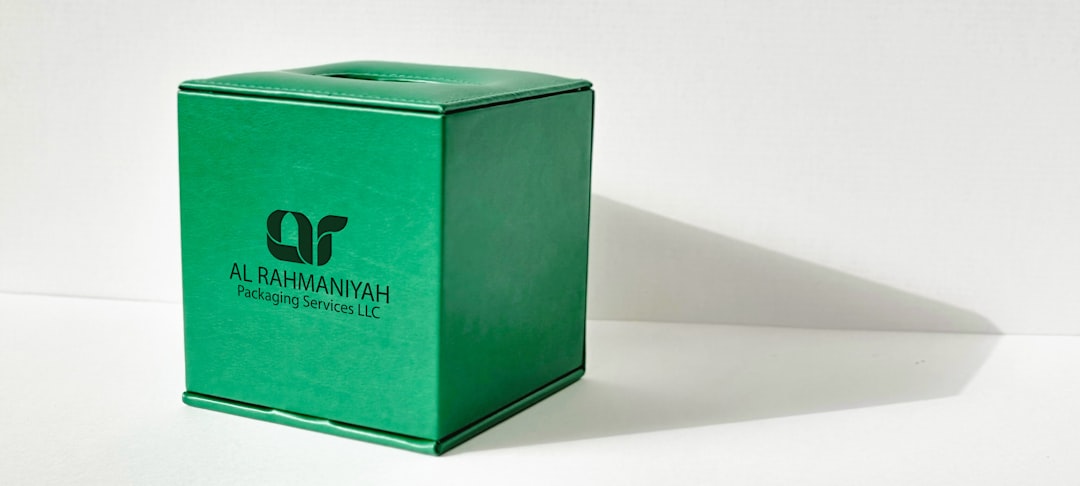
Tips to boost contrast:
- Use dark text on light backgrounds and vice versa
- Don’t sit text directly on busy photos
- Try solid backgrounds behind important elements
2. Size: Go Big or Go Invisible
If your logo is too small, it might as well be invisible. This is especially true on mobile devices or for users who zoom in using screen magnifiers.
Ask yourself: Can people read your logo at 16 pixels? If not, it’s time to tweak it.
Best practices for size:
- Aim for a minimum height of 24 pixels on digital platforms
- Make sure important parts (like your company name) are readable at all sizes
- Use responsive logos that adjust to different screens
Think about logos on smartwatches, voice assistants, or projection screens—they all have different needs. Flexible sizing helps your logo shine everywhere.

3. Legibility: Keep It Simple
The fanciest font in the world is useless if no one can read it. Legibility means using typefaces and design choices that are clean, crisp, and easy to recognize.
For logos in 2025, here’s what to watch out for:
- Don’t use thin or over-styled fonts
- Avoid cluttered design—less is more
- Check readability at different sizes and backgrounds
Also, avoid placing text over images unless you’re 100% sure it remains readable. If you must, add a shadow or background padding so the text doesn’t get lost.
Lastly, don’t forget alt text for screen readers. Even if your logo is just a single letter, describe it. It helps users who can’t see it at all.
Accessibility Tech in 2025: Better Tools, Better Designs
Designers now have amazing tools to check for accessibility. AI-based contrast checkers, smart resizing plugins, and real-time readability analyzers are just a few options.
Try tools like:
- Stark for Figma and Adobe XD (checks contrast and readability)
- Color Oracle to simulate visual impairments
- WebAIM for contrast checking and accessibility audits
There are even smart logo generators that automatically optimize for accessibility. No excuses!
Do’s and Don’ts
Let’s keep it simple with a quick checklist:
Do:
- Use clear fonts
- Keep strong contrast
- Make it readable at small sizes
- Test across devices and environments
- Support screen readers with alt text
Don’t:
- Use light gray on white
- Stuff your logo with too many elements
- Depend only on color to convey meaning
- Ignore smaller screens
- Overlap text and complex visuals
Real-World Examples
Let’s look at what some top brands are doing right:
- Spotify: Simple icon, bold green and black contrast, scales well on all screens
- Google: Clean font, colors chosen for contrast, instantly recognizable
- Airbnb: Unique symbol, scalable design, optimized color schemes for clarity
Accessibility isn’t boring. It can look excellent AND work for everyone.
Bonus Tip: Think Beyond Vision
Accessibility isn’t only about sight. Think of people with dyslexia or cognitive difficulties. Simple, clean designs help them too.
Also, test your logo with voice-assisted devices. Some users will never see your logo but will *hear* it described. What would they learn from your alt text? Make it count.
Final Thoughts: A Logo That Works for Everyone
In 2025, an accessible logo isn’t optional—it’s part of good design. It’s about values, inclusion, and meeting today’s standards. But most of all, it’s about making sure no one is left out.
So the next time you design a logo, ask yourself:
- Can everyone see it?
- Can everyone read it?
- Can everyone understand it?
If the answer is yes, congratulations. You’ve just made the world a little more welcoming.
Now go spread the word—and the logo love.