
In the dynamic digital landscape of 2026, YouTube creators are constantly seeking innovative ways to connect with their audiences. Recap videos have emerged as a powerful tool—not only for summarizing content but also for driving engagement, boosting retention, and building brand identity. Whether you’re a vlogger, tech reviewer, or commentary creator, producing engaging YouTube recaps can significantly elevate your channel’s performance.
TL;DR: YouTube recaps remain one of the most effective formats to increase viewer retention and audience interaction in 2026. By using storytelling techniques, analytics, and the latest AI tools, creators can produce clear, engaging recaps that transform passive viewers into loyal subscribers. Use dynamic visuals, highlight your best moments, and prioritize personalization to stand out. With proper pacing, creative editing, and strategic promotion, recap videos can significantly boost your channel’s growth and credibility.
Why Recap Videos Matter in 2026
Recap videos have become more than just a year-end tradition. In 2026, they serve as a multi-functional format that helps:
- Reinforce key messages and memorable moments
- Deliver value to both new and returning viewers
- Showcase growth and celebrate achievements
- Increase average watch duration
- Drive social sharing and comments
Modern audiences appreciate quick summaries and thoughtfully curated content, especially when it combines nostalgia and insight.
1. Plan with Purpose
Every engaging recap starts with a solid plan. Think beyond a simple timeline and consider what story you want to tell. Are you highlighting your growth, spotlighting your community, or recapping thematic content like product launches or collaborations?
Start by answering these questions:
- What were the most impactful moments of your content this year?
- Which videos had the highest engagement?
- What feedback did your audience provide?
Use those answers as the foundation for your recap’s narrative arc.
2. Leverage Analytics
YouTube Analytics in 2026 is more insightful than ever, thanks to enhanced AI integrations and real-time behavioral tracking. Key metrics like relative audience retention, click-through rate, and engagement peaks can reveal exactly where your content performed best.
Analyze:
- Top 10 moments across video sessions
- Most replayed sections (hint: these are recap gold!)
- Viewer sentiment and comments from community posts or polls
This data will not only inform your selection of clips but also help shape a more audience-focused script.
3. Curate with Intent
With a year’s worth—or even a month’s worth—of content, creators must be selective. Don’t just pack your recap with random clips. Each piece should serve a narrative purpose.
Consider grouping moments by:
- Themes – educational, funny, emotional, insightful
- Milestones – subscriber goals, sponsorships, new series
- High engagement – viral clips, trending discussions, top comments
Tip: Use dynamic transitions and lower-thirds to clearly label sections. This adds structure and gives viewers context as the recap progresses.
4. Enhance with Storytelling
Narratives drive engagement. Even in a highlight reel, a clear beginning, middle, and end can significantly improve viewer retention. Structure your recap like a mini-documentary or journey.
Use this storytelling framework:
- Introduction: Set the tone and explain the purpose of the recap
- Main Body: Feature 3 to 5 thematic segments that tell the story
- Conclusion: Reflect, thank the audience, and tease what’s next
Emotional recall is especially powerful. If a moment made your audience laugh, cry, or comment aggressively, it belongs in your recap.
5. Personalization Adds Impact
Your community wants to feel acknowledged. Incorporating fan comments, user-generated content, or shoutouts to loyal subscribers adds authenticity.
Modern creators are even leveraging personalized AI voiceovers and auto-customization with viewer names (through third-party integrations) to create a unique viewing experience for core fans.
Ideas for personalization:
- Highlight top commenters using on-screen callouts
- Include fan-submitted clips or artwork
- Announce giveaways or include easter eggs just for your biggest supporters
6. Use High-Impact Editing
Editing style in 2026 matters more than ever with shorter attention spans and increasing video saturation. Keep your recap tight—ideally under 8 minutes—and use visual tools to maintain momentum.
Editing elements that drive engagement:
- Montage sequences with synchronized music
- Motion graphics to create smooth visual flow
- Captions and on-screen text highlights
- Call-to-action overlays for likes, subs, or related videos
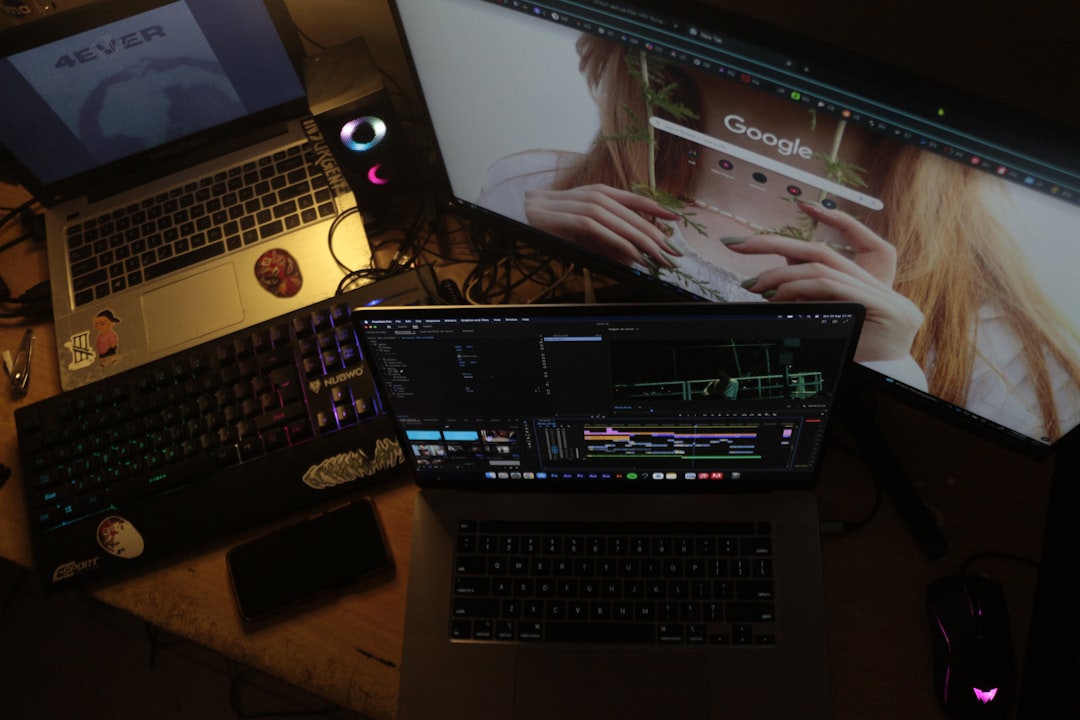
AI-powered video editors like RunTime, Vyond AI, and Adobe Premiere Pro AI can help you auto-generate dynamic cuts based on scene detection, audience response, and even vocal tone analysis.
7. Optimize for Watch Time and SEO
Don’t let your hard work go unnoticed. Optimizing your recap video ensures it performs well in search results and recommendations.
For higher visibility, pay attention to:
- Whether your title includes the word “recap” or “highlight”
- Desciptions and hashtags that mention popular moments from the year
- Custom thumbnails that use emotional or surprising imagery
- Pinned comments that ask for feedback or favorite moments
Also consider building a companion YouTube Short or Community Post that sets up your recap and funnels interest into the main video.
8. Share Strategically
A well-crafted recap deserves distribution across all your platforms. Nutshell your recap in a Twitter thread, reformat it as Stories or TikToks, or turn moments into looping Reels.
Cross-platform reach is key in 2026.
Share your recap through:
- Email newsletters with curated clips
- Discord channels or Patreon updates
- Embedded blog posts summarizing the year with video links
The more eyes you get early, the higher the chance your video performs well on YouTube’s recommendation system.
9. Learn for the Future
Your recap video isn’t just a conclusion—it’s also a valuable feedback loop. Look at which segments retained viewers, drove comments, or prompted subscriptions. Use that data to guide your content strategy moving forward.
In fact, making quarterly or even monthly recaps can help you adjust content real-time, based on audience behavior. This transparency builds trust and shows you’re evolving with your audience in mind.
Final Thoughts
Done right, YouTube recaps are more than a summary—they are a growth catalyst. They give creators a moment to pause, reflect, and innovate. In 2026, the tools for creating high-quality, engaging, data-backed recaps are more accessible than ever. Use them to put your best foot forward and remind your audience why they subscribed in the first place.
Remember: Make it visual, make it heartfelt, and above all, make it shareable.