
In today’s digital-first world, video has evolved from a creative add-on to a central pillar of communication, marketing, education, and entertainment. Individuals and businesses alike rely on video to tell stories, build audiences, and drive engagement. Yet producing impactful video content involves more than just recording footage. From editing and enhancement to hosting and analytics, a wide ecosystem of tools supports the full video lifecycle. Understanding which tools are worth exploring can save time, improve quality, and maximize reach.
TLDR: Creating effective video content requires more than a camera—it involves editing, optimization, hosting, and performance tracking. Modern video tools streamline everything from trimming clips and adding effects to securely hosting and distributing content. The best results come from combining user-friendly editing platforms with reliable hosting and analytics solutions. Exploring the right mix of tools ensures higher engagement, stronger branding, and smoother workflows.
The Evolution of Video Creation Tools
Video production was once reserved for professionals with specialized equipment and expensive software. Today, creators have access to intuitive tools that make editing and publishing easier than ever. Cloud-based platforms, artificial intelligence enhancements, and collaborative features have transformed how teams work with video.
Modern creators often look for tools that provide:
- User-friendly interfaces with drag-and-drop functionality
- AI-powered editing assistance
- Multi-device compatibility
- Export options optimized for different platforms
From solopreneurs producing social media content to enterprises managing training libraries, the right tools can dramatically improve workflow efficiency.
Video Editing Software: The Creative Core
Editing is where raw footage transforms into compelling storytelling. Modern video editing software ranges from beginner-friendly apps to professional-grade platforms with advanced features.

Essential Editing Features
When evaluating editing tools, users often prioritize the following capabilities:
- Timeline-based editing: Allows precise control over clips and transitions.
- Color correction tools: Enhances visual consistency and mood.
- Audio editing features: Reduces background noise and improves clarity.
- Text and motion graphics: Adds branding and professionalism.
- Templates and presets: Speeds up content production.
AI-assisted features have also gained popularity. Automatic subtitle generation, scene detection, and background removal significantly reduce manual work. For creators producing frequent content, time-saving automation can make an enormous difference.
Cloud-based editing tools are especially appealing for remote teams. They allow collaborators to review, comment, and adjust content in real time without transferring large files back and forth.
Enhancement Tools: Elevating Production Quality
Beyond core editing software, creators often explore additional tools to refine their videos. Enhancement platforms focus on improving visuals, sound, and overall viewer experience.
Audio Improvement Tools
High-quality audio is critical. Even visually stunning content can suffer if sound clarity is poor. Noise reduction software, automatic voice equalizers, and soundtrack libraries help ensure professional sound design.
Visual Optimization
Tools that focus on video stabilization, color grading presets, and resolution upscaling can breathe new life into older footage. AI-driven systems can even sharpen low-resolution clips for clearer presentation.
Captioning and Accessibility Tools
Automatic transcription and captioning not only expand audience reach but also improve accessibility for viewers with hearing impairments. Many platforms integrate localization capabilities, making it easier to serve international markets.
Screen Recording and Presentation Tools
Educational creators, software trainers, and remote teams rely heavily on screen recording solutions. These tools allow users to capture desktop activity, presentation slides, and voice narration simultaneously.
Valuable features include:
- Webcam overlay options for personal engagement
- Basic editing features for trimming mistakes
- Annotation tools like arrows and highlights
- Instant sharing links for collaboration
For businesses, screen recording tools are instrumental in creating tutorials, onboarding materials, and walkthroughs.
Video Hosting Platforms: The Distribution Backbone
Once a video is edited and polished, hosting becomes the next crucial step. Video hosting platforms store content securely while delivering it efficiently to viewers worldwide.

Key Factors to Consider
Choosing a video hosting service requires balancing several considerations:
- Streaming quality and speed
- Security and privacy controls
- Customizable player options
- Analytics and performance insights
- Scalability for growing audiences
Some hosting services cater specifically to public content distribution, while others focus on internal communications and training libraries. Businesses often prioritize advanced privacy features, including domain restrictions and password protection.
Embedding options are also critical. A customizable embedded player allows organizations to maintain consistent branding across websites and landing pages.
Live Streaming Tools
Live streaming has become an essential element in marketing, events, and community engagement. From webinars to product launches, real-time interaction builds trust and engagement.
Reliable live streaming tools should provide:
- Low-latency streaming for real-time interaction
- Audience engagement features such as live chat and polls
- Recording capabilities for on-demand replay
- Integration options with CRM or marketing platforms
An effective live streaming setup bridges the gap between pre-recorded polish and authentic real-time conversation.
Collaboration and Workflow Management
As teams grow, collaboration becomes increasingly important. Video production often involves editors, scriptwriters, marketers, and stakeholders working together.
Workflow management tools streamline production by offering:
- Shared asset libraries
- Version history tracking
- Commenting and feedback threads
- Approval workflows
Cloud-based collaboration systems reduce communication bottlenecks and accelerate publishing cycles. Teams can iterate quickly without duplicating files or losing track of revisions.
Analytics and Performance Tracking
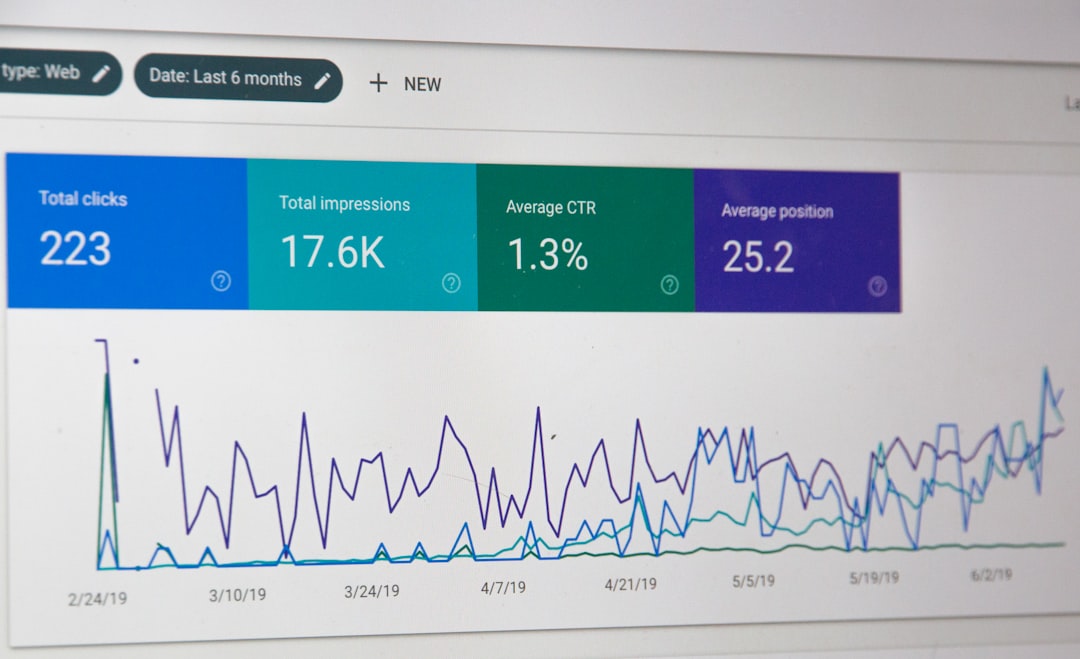
Publishing a video is only part of the journey. Understanding viewer behavior is essential for long-term success. Analytics tools provide meaningful insights into engagement patterns.
Important Metrics
- View count: Basic measure of reach.
- Watch time: Indicates engagement depth.
- Audience retention rate: Reveals where viewers drop off.
- Click-through rate: Shows how compelling calls to action are.
- Geographic data: Helps tailor regional strategies.
By analyzing this data, creators can refine content strategies, optimize video length, and improve messaging. Data-driven decisions help ensure that video investments generate tangible returns.
Security and Content Protection
With digital distribution comes the need for strong security measures. Piracy and unauthorized sharing can undermine both revenue and brand integrity.
Leading platforms offer protective features such as:
- Digital rights management
- Password-protected access
- Encrypted streaming protocols
- Access control lists
For organizations hosting sensitive training materials or paid content, robust security is non-negotiable.
Integrations and Ecosystem Compatibility
No video tool operates in isolation. Integration capabilities are crucial for marketing automation, customer relationship management, learning management systems, and social media platforms.
Tools worth exploring typically offer API access or native integrations that simplify cross-platform workflows. When selecting a new solution, compatibility with existing systems can significantly impact efficiency.
Choosing the Right Combination
Rather than relying on a single platform for all needs, many creators build a toolkit tailored to their workflow. An effective stack might include:
- A primary editing platform for core production
- Specialized audio enhancement software
- A secure hosting provider
- An analytics tool integrated with marketing systems
The ideal setup varies depending on goals, budget, and team size. However, investing in reliable tools usually pays dividends in higher-quality output and streamlined processes.
Future Trends in Video Tools
The evolution of video tools shows no signs of slowing. Artificial intelligence continues to transform workflows, from auto-generated scripts to real-time language translation. Interactive video elements—such as clickable hotspots and personalized branches—are becoming increasingly common.
As bandwidth and device capabilities expand, creators can expect:
- Greater automation
- Improved interactive features
- Enhanced personalization
- Higher streaming resolutions
Staying informed about emerging technologies ensures that creators and businesses remain competitive in an ever-changing digital landscape.
FAQ
1. What is the most important tool in the video production process?
There is no single “most important” tool. Editing software often serves as the creative foundation, but hosting and analytics platforms are equally critical for distribution and performance measurement.
2. Are cloud-based video tools better than desktop software?
Cloud-based tools offer collaboration and accessibility benefits, while desktop software may provide greater processing power for complex projects. The best choice depends on workflow needs and team structure.
3. How important is video hosting compared to social media uploads?
Dedicated hosting platforms provide better control, security, customization, and analytics compared to uploading directly to social platforms. Businesses seeking detailed performance insights often prefer specialized hosting services.
4. Do small businesses need advanced analytics?
Even small businesses benefit from understanding viewer behavior. Basic metrics like watch time and audience retention can guide content strategy and improve engagement.
5. What should beginners prioritize when selecting video tools?
Beginners should look for user-friendly editing software with templates and automation features, paired with a reliable hosting solution that offers straightforward publishing and basic analytics.
From editing to hosting, exploring the right combination of video tools empowers creators to produce polished content, reach wider audiences, and continually refine their strategy through actionable insights.