
Streaming should feel easy. You grab a snack. You open Sling TV. You pick a game, show, or movie. Then the spinning wheel appears. Or the app freezes. Or you get a strange error code. Now you ask the big question: Is Sling TV down?
TLDR: If Sling TV is not working, first check whether the problem is on Sling’s side or your side. Look at the Sling TV status page, social media, outage sites, and your internet connection. Try quick fixes like restarting the app, rebooting your device, and checking your Wi-Fi. If many people report the same issue, it is probably a Sling outage, and you may just need to wait.
Why Sling TV Might Stop Working
Sling TV is a live TV streaming service. That means it depends on many moving parts. Your device matters. Your app matters. Your Wi-Fi matters. Sling’s servers matter too.
When one part has a bad day, your show may vanish. That is not fun. Nobody wants tech drama during the big game.
Here are common reasons Sling TV may not work:
- Sling TV servers are down. This means the issue is on Sling’s side.
- Your internet is slow. Streaming needs a steady connection.
- The Sling app is outdated. Old apps can get grumpy.
- Your device has a glitch. Smart TVs and streaming sticks need rest too.
- Your account has a billing issue. A missed payment can block access.
- There is a local outage. Your internet provider may be the culprit.
The trick is to find out which one it is. Good news. You can do that fast.
First Check: Is Sling TV Down for Everyone?
Start with the easy question. Is Sling TV down for everyone, or just for you?
If Sling is having a major outage, many users will complain at the same time. You are not alone. Your remote is not cursed. Your TV did not betray you.
Here are the best places to check:
- Sling TV official support pages. Look for service alerts or outage notes.
- Sling TV social media. Check recent posts and replies.
- Outage tracking websites. Sites like Downdetector can show user reports.
- Search engines. Search for “Sling TV down” and check recent results.
- Reddit or community forums. Other users often post fast.
If outage reports spike, that is a strong clue. If people in many cities are saying the same thing, Sling may be down.
If nobody else is reporting a problem, the issue may be closer to home. Time to become a couch detective.
Second Check: Look at the Error Message
Error messages can be annoying. But they are also clues. Think of them like tiny notes from your streaming gremlin.
You may see messages like:
- “Unable to load content.”
- “Playback error.”
- “Network error.”
- “Authorization error.”
- “Please try again later.”
A network error often points to your internet. A playback error may be the app, the channel, or Sling. An authorization error may be your login, account, or device access.
Write down the error code if you see one. Then search it with the words Sling TV. This can help you find the exact fix.
Third Check: Test Another Channel
Sometimes Sling TV is not fully down. Only one channel may be acting weird.
Try opening another channel. Try a different show. Try on-demand content too.
If only one channel fails, the channel feed may have a problem. That happens. Live TV is still live TV. It can trip over its own shoelaces.
If every channel fails, the issue is bigger. It may be your app, account, internet, or Sling service.
Fourth Check: Test Another Device
Open Sling TV on another device if you can. Use your phone. Use a tablet. Try a laptop. Try another TV.
This step is very helpful.
- If Sling works on your phone, your TV app may be the issue.
- If Sling fails on every device, your internet or Sling may be the issue.
- If Sling works on mobile data but not Wi-Fi, your home internet may be the issue.
This is the classic “try another thing” test. It sounds simple because it is. But it works.
Fifth Check: Test Your Internet
Sling TV needs a solid internet connection. Not perfect. Just solid.
Run a quick speed test. You can use any speed test website or app. Check your download speed. Also watch for wild drops.
As a general rule:
- 3 Mbps may work for low quality video.
- 5 Mbps is better for one stream.
- 25 Mbps or more is better for homes with many devices.
But speed is not the only thing. Stability matters too. Your internet can be fast one second and messy the next. That causes buffering.
Try these simple internet fixes:
- Move closer to your Wi-Fi router.
- Turn off devices you are not using.
- Pause big downloads.
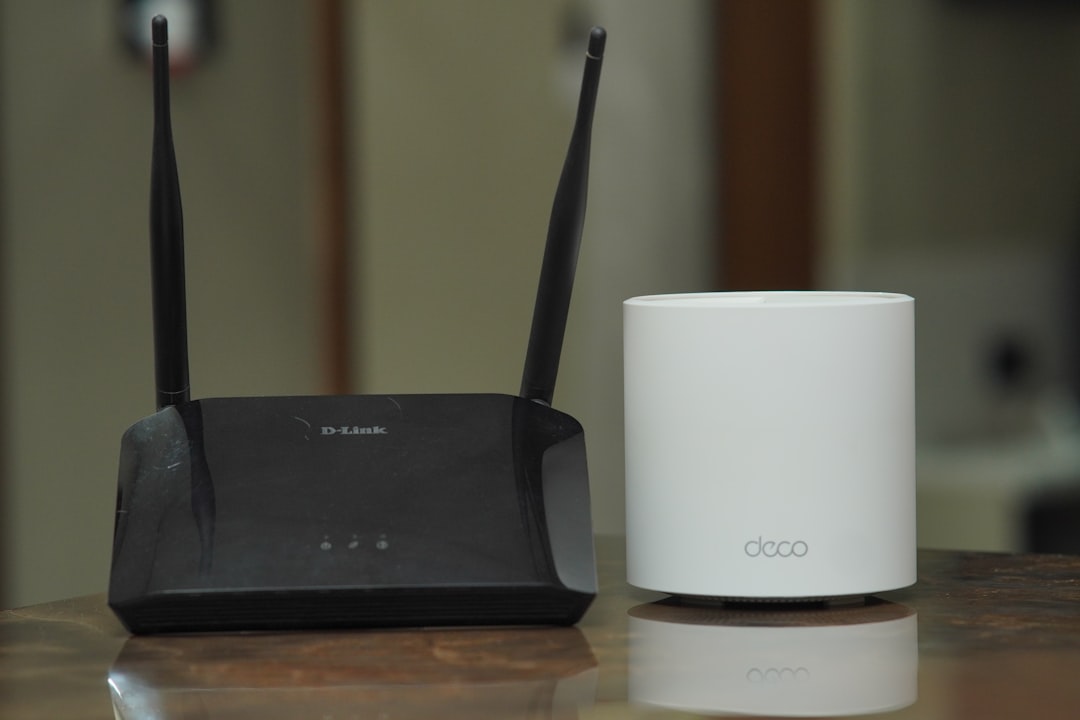
- Restart your router.
- Use an Ethernet cable if possible.
Yes, restarting the router feels old school. Yes, it still works. The router likes a nap.
How to Restart Sling TV the Right Way
Do not just close the screen. Fully close the app. Then open it again.
On many devices, apps keep running in the background. They can hold onto old errors like a dragon guarding treasure.
Try this:
- Exit Sling TV.
- Force close the app if your device allows it.
- Wait 10 seconds.
- Open Sling TV again.
- Try the same channel.
If that fails, restart the whole device. Turn it off. Wait a little. Turn it back on. Simple. Peaceful. Surprisingly powerful.
Update the Sling TV App
Apps need updates. Updates fix bugs. They also help apps work with new device software.
If your Sling TV app is old, it may act strange. It may crash. It may buffer. It may stare into the void.
Go to your device’s app store. Search for Sling TV. If you see an update button, tap it.
After the update, restart the app. Then test again.
This is especially useful on:
- Roku
- Amazon Fire TV
- Apple TV
- Android TV
- Smart TVs
- Phones and tablets
Clear Cache and App Data
Cache is stored app data. It helps apps load faster. But old cache can cause problems. Think of it as digital crumbs under the couch.
Clearing cache may fix loading issues, login loops, and playback errors.
The steps depend on your device. Look in your device settings. Find apps. Choose Sling TV. Then look for Clear Cache.
Be careful with Clear Data. This may log you out. That is not a disaster. But you will need your email and password again.
Check Your Sling TV Account
Sometimes the app works. The internet works. Sling is not down. But your account has an issue.
Log in to your Sling account on a web browser. Check your subscription. Check your billing status. Make sure your plan is active.
Also check if too many streams are being used. Sling plans have stream limits. If everyone in the house is watching something, you may hit a limit. The app may block another stream.
Possible account issues include:
- Expired payment method
- Paused or canceled plan
- Wrong login details
- Too many streams at once
- Location or device access issue
If your account looks normal, move on to the next step.
Check If Your Device Is Supported
Sling TV works on many devices. But older devices can lose support over time. This is common in streaming land.
If your app suddenly stops working on an old smart TV, support may be the reason. Check Sling’s supported device list. Make sure your device still qualifies.
If your device is too old, you still have options. You can use a streaming stick, game console, phone, tablet, or computer.
No need to throw the TV into a volcano. Usually, a small streaming device fixes the problem.
What If Sling TV Buffers All the Time?
Buffering is not always an outage. It is often an internet issue. It can also be a Wi-Fi issue.
If Sling keeps buffering, try lowering the video quality if your device allows it. This uses less data. It may make playback smoother.
Also try watching during a different time. Evening hours can be busy. Everyone is streaming, gaming, scrolling, and pretending to work.
For better streaming, try these tips:
- Put your router in an open spot.
- Keep it away from thick walls.
- Restart your modem and router once in a while.
- Use 5 GHz Wi-Fi if you are close to the router.
- Use 2.4 GHz Wi-Fi if you are farther away.
- Connect by Ethernet for the most stable signal.
What If Sling TV Says You Are Not at Home?
Some channels and features may care about location. If Sling thinks you are somewhere else, you may get blocked or limited.
This can happen if you use a VPN. It can also happen if your internet provider routes traffic in a strange way.
Try turning off your VPN. Then restart Sling TV. If that works, the VPN was the problem.
If you are traveling, some channels may not be available. That is normal. Annoying, yes. But normal.
When It Is Probably a Real Sling TV Outage
At some point, the signs become clear. Sling TV may really be down.
Here are strong outage clues:
- Outage websites show a big spike in reports.
- Sling support posts an alert.
- Many users on social media report the same issue.
- Sling fails on all your devices.
- Your internet works fine for other apps.
- Other streaming services work normally.
If all that is true, relax. You have done your work. This is likely not your fault.
Now the best move is to wait. Sling engineers will work on it. They want the service back too. Outages cost them money and trust.
What to Do While You Wait
If Sling TV is down, you have options. Do not stare at the loading wheel forever. That way lies madness.
Try one of these instead:
- Watch another streaming service.
- Use an antenna for local channels.
- Check highlights on YouTube.
- Listen to the game on radio or an app.
- Read a book. Wild idea, but it works.
- Make popcorn anyway. Popcorn has no outage.
You can also keep checking the status every 15 to 30 minutes. Do not refresh every five seconds. That will not make the servers heal faster.
Should You Contact Sling TV Support?
Yes, if the problem lasts a long time. Also contact support if nobody else seems to have the issue.
Before you contact support, gather a few details. This makes the chat faster.
- Your device type
- Your app version
- Your error message or code
- Your internet speed
- The channel or show affected
- What fixes you already tried
This helps support avoid asking the basics again. It also makes you look like a tech wizard. A very calm one.
Quick Sling TV Status Checklist
Need the speedy version? Use this checklist.
- Check Sling’s official support or status updates.
- Check outage sites for report spikes.
- Search social media for recent complaints.
- Try another channel in Sling TV.
- Try Sling on another device.
- Test another streaming app.
- Run an internet speed test.
- Restart the Sling app.
- Restart your device and router.
- Update the Sling TV app.
- Clear cache if needed.
- Check your account and billing.
If Sling fails after all that, and other users report trouble, it is probably down. If only your setup fails, keep troubleshooting your device, app, or internet.
Final Thought
So, is Sling TV down? Maybe. But maybe your router is just being dramatic.
The fastest path is simple. Check public outage reports first. Then test your own setup. Try another device. Restart the app. Check your internet. Update things. Keep calm.
Most Sling TV problems are temporary. Many are fixed in a few minutes. Some need an app update or a router reboot. A few are real outages.
Either way, you now have a plan. Your snack is safe. Your remote has purpose. And the next time Sling TV acts weird, you can solve the mystery like a streaming detective in pajama pants.