
Artificial intelligence is changing how we create content. Photos. Videos. Social media posts. Ads. Even memes. Behind many of these creative tools is something powerful called computer vision. It helps machines “see” and understand images and videos. And once machines can see, they can help us create amazing things faster than ever.
TLDR: Computer vision allows AI to see and understand images and videos. This ability helps AI generate, edit, and improve visual content quickly and creatively. It powers tools like image generators, video editors, and smart design platforms. In short, computer vision turns pixels into ideas.
Let’s break it down in a simple and fun way.
What Is Computer Vision?
Computer vision is a branch of AI. It teaches machines how to understand visual information. Just like humans use eyes and brains, computers use cameras and algorithms.
But computers do not really “see” like we do. They analyze:
- Shapes
- Colors
- Patterns
- Movement
- Textures
They then turn all this data into meaning.
For example, computer vision can:
- Detect faces in a photo
- Recognize objects like cars or trees
- Read text inside images
- Track movement in videos
- Understand emotions on a face
All of this is possible because of deep learning. AI models are trained on millions of images. Over time, they learn patterns. They learn what things look like. Then they apply that knowledge to new images.
Simple idea. Powerful results.
How Computer Vision Powers AI Content Creation
Now let’s connect the dots.
AI content creation often involves visuals. That means images, videos, graphics, and even animations. Computer vision allows AI tools to analyze existing content and generate new content based on it.
Here’s how it helps.
1. Image Generation
AI image generators can create pictures from text prompts. You type a sentence. The AI builds an image.
How?
Computer vision models are trained on huge datasets of images paired with text descriptions. The system learns how words relate to visuals.
So when you type “a cat surfing on a rainbow,” the AI understands:
- What a cat looks like
- What a rainbow looks like
- What surfing means visually
Then it combines them into something new.
It is not copying. It is predicting pixels based on learned patterns.
2. Smart Photo Editing
Computer vision allows AI to edit photos automatically.
For example:
- Removing backgrounds
- Enhancing low-light images
- Upscaling blurry photos
- Colorizing black-and-white pictures
The AI understands where the subject ends and the background begins. It detects edges. It identifies lighting conditions. It adjusts tones.
What used to take hours in complex software now takes seconds.
3. Facial Recognition and Filters
Ever used a face filter app?
That is computer vision in action.
The system maps facial landmarks:
- Eyes
- Nose
- Mouth
- Jawline
It tracks movement in real time. Then it places effects exactly where they should go.
This same technology helps AI generate realistic avatars. Or animate still photos. Or create virtual influencers.
4. Video Creation and Editing
Video is just a series of images played quickly.
Computer vision analyzes every frame.
It can:
- Detect scene changes
- Track objects
- Stabilize shaky footage
- Suggest highlights automatically
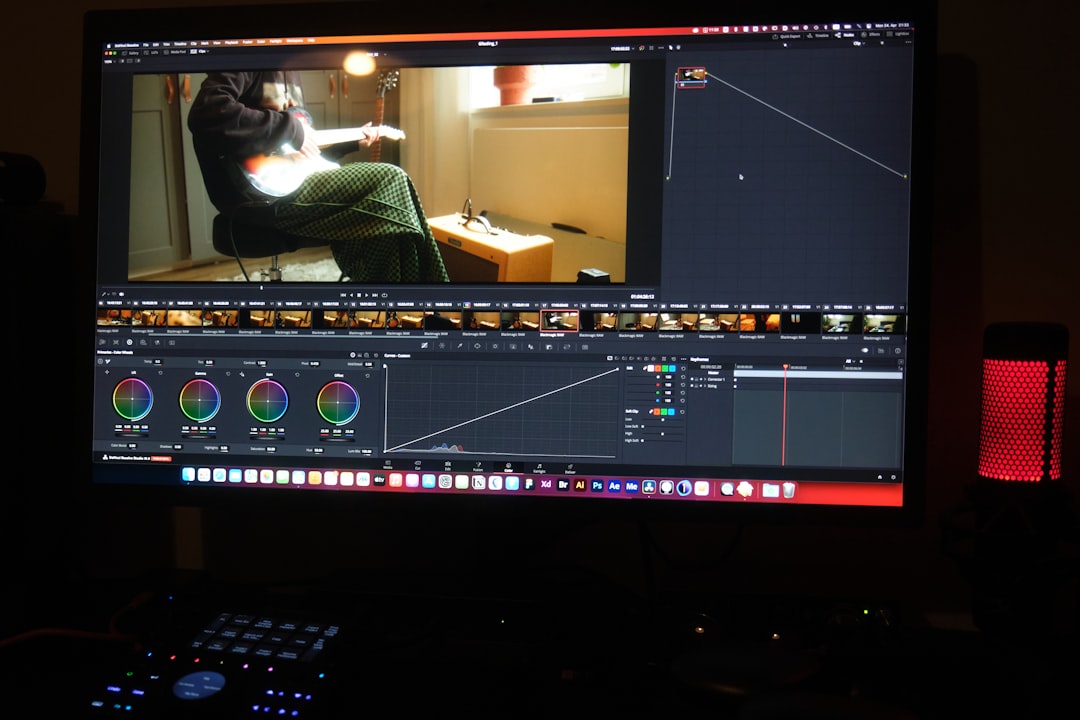
This makes AI video editors very powerful.
You can upload long footage. The AI finds the best moments. It cuts boring parts. It adds captions. Sometimes it even suggests music.
That is smart automation.
5. Visual Search and Content Discovery
AI content tools also rely on visual search.
You can upload an image. The AI finds similar ones.
This works because computer vision converts images into numeric representations. These are called feature vectors.
In simple terms, the AI creates a “fingerprint” of each image.
Then it compares fingerprints.
This helps with:
- Stock photo recommendations
- Ecommerce product suggestions
- Social media tagging
6. AI-Generated Design
Design platforms now use AI to generate posters, thumbnails, ads, and social graphics.
The AI understands:
- Layout balance
- Color harmony
- Typography placement
- Visual hierarchy
Computer vision analyzes thousands of successful designs. It learns patterns.
Then it applies those patterns when generating new designs.
This means even beginners can create professional-looking visuals.
Popular AI Tools That Use Computer Vision
Many AI content tools rely heavily on computer vision. Here is a simple comparison chart.
| Tool Type | What It Creates | How Computer Vision Helps | Best For |
|---|---|---|---|
| AI Image Generators | Artwork, illustrations, concept images | Learns patterns between text and visuals | Creative projects and marketing |
| AI Photo Editors | Enhanced and retouched images | Detects objects, lighting, and backgrounds | Photographers and ecommerce |
| AI Video Editors | Edited short or long videos | Tracks scenes, detects highlights | Content creators and YouTubers |
| Face Animation Tools | Animated avatars and filters | Maps facial landmarks in real time | Social media users and marketers |
| Design Automation Tools | Posters, ads, graphics | Analyzes layout and design trends | Small businesses and startups |
Each of these tools depends on machines being able to “see” clearly.
Behind the Scenes: How It Actually Works
Let’s simplify the technical side.
Computer vision models are trained using something called neural networks. These networks have layers. Each layer detects different features.
For example:
- Early layers detect edges
- Middle layers detect shapes
- Deeper layers detect objects
When creating content, generative models reverse this process. Instead of identifying objects from pixels, they generate pixels from learned object patterns.
It is like building an image from imagination.
All of this requires:
- Large datasets
- Strong computing power
- Careful model training
But once trained, the system works fast.
Benefits of Computer Vision in AI Content Creation
Here are some clear advantages.
Speed
Tasks that took hours now take seconds.
Accessibility
You do not need advanced design skills anymore.
Scalability
Businesses can create thousands of visuals quickly.
Consistency
AI maintains visual style across campaigns.
Creativity Boost
Humans get more time to focus on ideas instead of repetitive tasks.
AI does not replace creativity. It supports it.
Challenges to Consider
Of course, it is not perfect.
Some challenges include:
- Bias in training data
- Copyright concerns
- Deepfake misuse
- Over-reliance on automation
Computer vision models learn from available data. If that data is biased, results can be biased too.
This is why ethical AI development is critical.
The Future of Computer Vision in Content Creation
The future looks exciting.
We can expect:
- More realistic AI-generated videos
- Real-time 3D content creation
- Smarter augmented reality experiences
- Personalized visual content for each user
Imagine websites that redesign themselves visually based on who is visiting.
Or ads that change images depending on your interests.
This level of personalization becomes possible when AI truly understands visual data.
Why It Matters
We live in a visual world.
Social media is visual. Marketing is visual. Communication is visual.
Computer vision gives AI the power to understand that world.
And once AI understands visuals, it can help us create them better and faster.
In simple words:
Computer vision turns pixels into possibilities.
It enables AI to analyze. To imagine. To generate. To improve.
And we are just getting started.
The next time you use an AI tool to generate an image or auto-edit a video, remember what is happening behind the scenes. Millions of learned visual patterns are working together.
Quietly. Quickly. Creatively.
That is the magic of computer vision in AI content creation.