
Choosing the right website builder in 2026 feels a bit like choosing a smartphone. Both options look great. Both promise big things. And both have loyal fans who swear their choice is the best. When it comes to Webflow vs WordPress, the debate is hotter than ever.
TLDR: Webflow is easier for designers and people who want clean, visual control without plugins. WordPress is more flexible, powerful, and budget-friendly, but needs more setup and maintenance. If you want simplicity and modern design, pick Webflow. If you want total control and scalability, WordPress still wins in 2026.
Let’s break it down in a fun and simple way. No tech jargon overload. Just real talk.
First, What Are They?
WordPress started as a blogging platform. Today, it powers over 40% of the internet. It is open-source. That means anyone can use it and modify it.
Webflow is a visual website builder. It lets you design directly on the screen. No heavy coding needed. It feels modern and sleek.
Both can build:
- Business websites
- Online stores
- Portfolios
- Blogs
- Landing pages
So where do they really differ?
Ease of Use
If you are a beginner, this part matters most.
Webflow
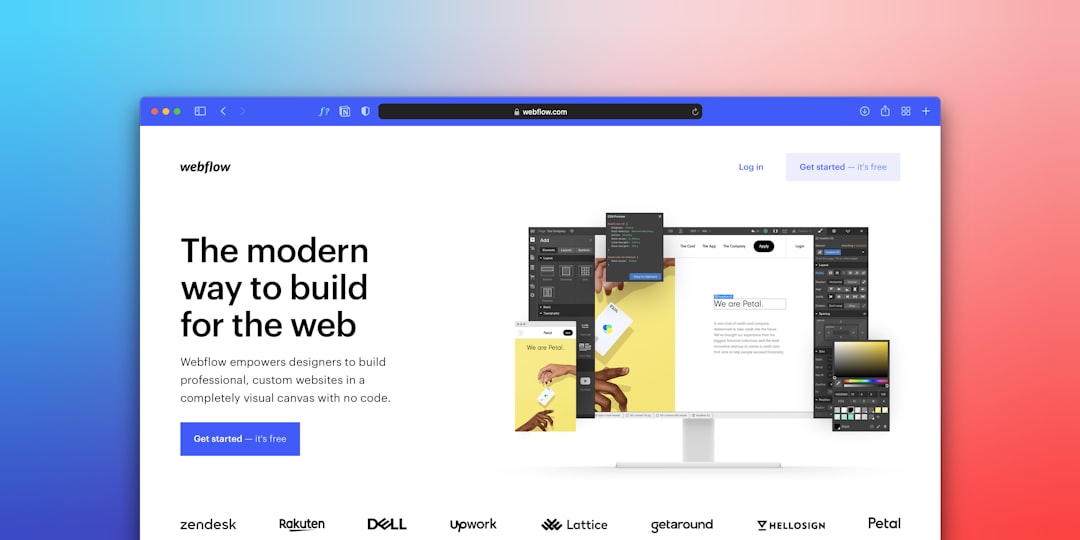
Webflow has a visual drag-and-drop interface. You see your design in real time. It feels like designing in Figma but building a real website.
But there’s a catch.
Webflow still requires you to understand layout concepts like:
- Margins
- Padding
- Flexbox
- Grid systems
It’s visual. But it is not “click and done.”
WordPress
WordPress can be simple. But only with the right tools.
Out of the box, WordPress looks basic. You need:
- A theme
- Plugins
- Hosting
Many people use builders like Elementor or Divi to make it visual. That helps a lot.
Winner for Ease: Webflow. It feels cleaner and more modern.
Design Freedom
This is where things get interesting.
Webflow gives you pixel-level control. You can customize almost every detail. Animations are built in. Interactions are smooth. No extra plugins needed.
Designers love this.
WordPress design depends on themes. Some themes are flexible. Some are limiting. If you know code, you can change anything. If not, you rely on plugins.
Too many plugins can slow things down.
Winner for Designers: Webflow.
Plugins and Features
This is where WordPress flexes its muscles.
WordPress has over 60,000 plugins. That is massive.
You can add:
- SEO tools
- Membership systems
- Advanced ecommerce
- Forums
- Online courses
- Custom integrations
Almost anything you imagine already exists.
Webflow has integrations too. But not nearly as many. You often connect third-party tools like:
- Zapier
- Memberstack
- Shopify Lite
It works. But it can get expensive.
Winner for Flexibility: WordPress.
SEO in 2026
Good news: both platforms are strong for SEO.
Webflow has clean code. Fast hosting. Easy meta tag editing. Automatic sitemaps.
WordPress becomes an SEO beast with plugins like Rank Math or Yoast.
Both can rank high on Google. But WordPress allows deeper customization if you want advanced technical SEO.
It’s a tie.
Performance and Speed
Speed matters in 2026. A slow site loses visitors fast.
Webflow sites are hosted on fast infrastructure by default. No setup needed. That’s a big plus.
WordPress speed depends on:
- Your hosting
- Your theme
- Your plugins
A poorly configured WordPress site can be slow. A well-optimized one can be lightning fast.
Winner for Simplicity: Webflow.
Winner for Control: WordPress.
Ecommerce Capabilities
Want to sell online? Listen closely.
Webflow Ecommerce
Great for small to medium stores. Beautiful design control. Easy checkout setup.
But limited for very large catalogs.
WordPress with WooCommerce
This combo powers millions of stores.
You can:
- Sell physical and digital products
- Customize checkout
- Add subscriptions
- Scale globally
WooCommerce is extremely powerful.

Winner for Small Stylish Stores: Webflow.
Winner for Big Scalable Stores: WordPress.
Pricing in 2026
Let’s talk money.
Webflow has monthly plans. Hosting is included. Pricing is predictable.
WordPress software is free. But you pay for:
- Hosting
- Premium themes
- Premium plugins
- Maintenance
Sometimes WordPress is cheaper. Sometimes it’s not. It depends on your setup.
Comparison Chart
| Feature | Webflow | WordPress |
|---|---|---|
| Ease of Use | Modern visual builder | Depends on theme and plugins |
| Design Control | Very high | High with coding |
| Plugins | Limited integrations | 60,000+ plugins |
| SEO | Strong built-in tools | Excellent with plugins |
| Ecommerce | Best for small shops | Best for large scalable stores |
| Hosting | Included | Separate purchase |
| Maintenance | Low | Ongoing updates required |
Maintenance and Security
Webflow handles:
- Security updates
- Hosting maintenance
- Backups
You focus on content.
With WordPress, you must update:
- The core software
- Themes
- Plugins
If you ignore updates, problems happen.
Winner for Peace of Mind: Webflow.
Community and Support
WordPress has a massive global community. Forums. YouTube tutorials. Facebook groups. Developers everywhere.
If something breaks, someone has solved it before.
Webflow’s community is growing fast. It has strong official tutorials. Webflow University is excellent.
Still, WordPress has more resources simply because it has been around longer.
Winner: WordPress.
Who Should Choose Webflow?
- Designers who want full visual control
- Agencies building stylish client sites
- Startups wanting fast, clean websites
- People who hate plugin management
Webflow feels modern. Polished. Efficient.
Who Should Choose WordPress?
- Bloggers who want long-term growth
- Businesses needing advanced features
- Ecommerce brands planning to scale big
- Developers who like customization
WordPress is powerful. Flexible. Almost limitless.
The Final Verdict for 2026
Here is the honest truth.
Webflow is better for simplicity, design, and convenience.
WordPress is better for power, flexibility, and long-term scalability.
In 2026, Webflow feels like the sleek electric car. Smooth. Modern. Low maintenance.
WordPress feels like a powerful custom-built engine. More parts. But more potential.
Neither choice is wrong.
It depends on you.
If you want less technical stress, choose Webflow.
If you want full control of your digital empire, choose WordPress.
And remember.
The best platform is the one you actually use to build something amazing.