
For many Kindle users, the disappearance of the Kindle Assistive Reader came as an unexpected and frustrating change. Designed to support accessibility and improve the reading experience for users with visual or learning challenges, this feature quietly faded from Amazon’s lineup—leaving readers wondering what happened and what it means for the future of digital accessibility. If you’ve been searching for answers, you’re not alone.
TLDR: The Kindle Assistive Reader was removed as Amazon shifted its accessibility focus toward integrating features directly into Kindle devices and apps rather than maintaining a standalone tool. The company has increasingly prioritized built-in VoiceView, enhanced text-to-speech, and app-based accessibility options. While the dedicated Assistive Reader feature is gone, many of its core functions still exist in different forms. Users may need to adjust to updated tools, but accessible reading on Kindle hasn’t disappeared—it has evolved.
What Was the Kindle Assistive Reader?
The Kindle Assistive Reader was designed to provide enhanced accessibility support for people who experience difficulty reading traditional text. This included individuals with:
- Visual impairments
- Dyslexia
- Cognitive reading challenges
- Motor skill limitations
Its primary functions often centered around:
- Text-to-speech narration
- Highlight tracking while reading aloud
- Adjustable reading speeds
- Simplified interface options
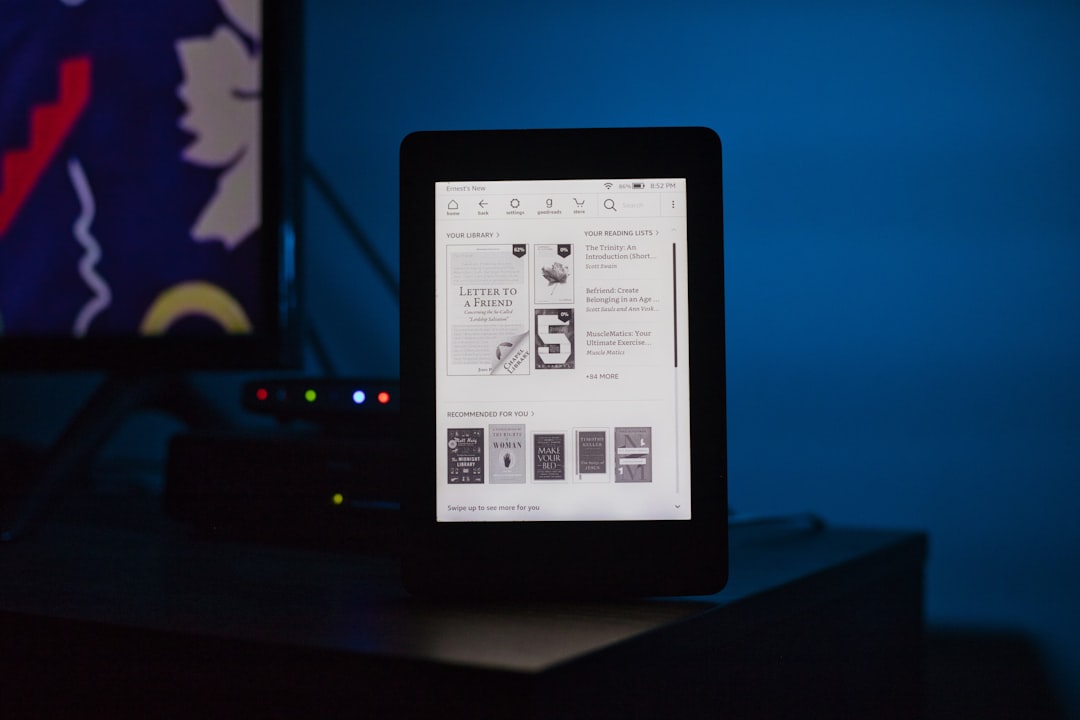
Although not always branded prominently under a single “Assistive Reader” label on every device, the feature became associated with Kindle’s accessibility-first tools, particularly on certain Fire tablets and earlier Kindle e-readers.
When and Why Was It Removed?
Unlike some discontinued Amazon products that receive formal announcements, the removal of the Kindle Assistive Reader was more subtle. Users began noticing changes during software updates and newer device launches.
The reasons appear to center around product consolidation and platform modernization. Several factors likely contributed:
1. Integration Into Core System Features
Amazon increasingly shifted toward embedding accessibility features directly into the operating system. Instead of maintaining a standalone Assistive Reader interface, tools were integrated into:
- VoiceView screen reader
- Kindle app accessibility settings
- Alexa integration for compatible devices
This move reduced duplication and streamlined maintenance across platforms.
2. Device Ecosystem Changes
Older Kindle models had hardware limitations. As Amazon introduced Paperwhite updates, Kindle Scribe, and improved Fire tablets, many legacy systems were retired. Updating older assistive frameworks may have been less efficient than redesigning accessibility from the ground up.
3. Shift Toward App-Based Reading
Many users now consume Kindle books on smartphones and tablets rather than dedicated e-readers. Apple’s iOS and Android platforms already have powerful built-in accessibility tools such as:
- VoiceOver (iOS)
- TalkBack (Android)
- System-wide magnification
- Text scaling and contrast controls
Amazon may have determined that enhancing compatibility with these ecosystems offered a better long-term strategy.
Was Accessibility Reduced?
This is the biggest concern among users. When a feature disappears, it often feels like support is being taken away. However, in this case, accessibility wasn’t necessarily reduced—it was redistributed.
Many former Assistive Reader capabilities now exist under different tools.
Here’s a comparison of the old concept versus current Kindle accessibility options:
| Feature | Kindle Assistive Reader | Current Kindle Alternatives |
|---|---|---|
| Text-to-Speech | Built-in assistive narration | VoiceView or Alexa support |
| Adjustable Reading Speed | Yes | Available in VoiceView settings |
| Highlighted Text While Reading | Yes | Whispersync + Audible narration |
| Simplified Interface | Assistive layout mode | Accessibility display settings |
| Cross-Device Support | Limited | Kindle apps on iOS and Android |
As the table shows, core functionality wasn’t eliminated—it was reorganized.
VoiceView: The Successor?
If there’s one feature that effectively replaced much of what Assistive Reader offered, it’s VoiceView. Available on Kindle e-readers and Fire tablets, VoiceView provides:
- Full-screen narration
- Menu navigation via audio cues
- Gesture-based controls
- Braille display compatibility (on supported devices)

VoiceView is more comprehensive than the earlier Assistive Reader, but it also has a steeper learning curve. Some users preferred the simplicity of the previous tool, especially for casual listening rather than full screen-reader navigation.
The Role of Audible and Whispersync
Another important shift is Amazon’s increasing integration between Kindle and Audible. With Whispersync for Voice:
- You can switch between reading and listening seamlessly.
- Your place in the book stays synchronized.
- Narration quality is significantly higher than standard text-to-speech.
From a business perspective, this makes sense. Audiobooks offer higher revenue potential compared to free text-to-speech functionality. While this doesn’t mean the Assistive Reader was removed purely for profitability, strategic alignment with Audible likely influenced development priorities.
Why Some Users Were Frustrated
Despite Amazon’s broader accessibility options, the removal sparked criticism. Common complaints included:
- Lack of communication about the changes
- Compatibility confusion after software updates
- Simpler workflow lost for basic reading aloud
- Increased reliance on newer devices
For users who relied on a familiar tool daily, even small interface shifts can feel disruptive. Accessibility tools aren’t optional conveniences—they’re essential features.
What You Can Use Instead
If you previously depended on Kindle Assistive Reader, here are practical alternatives:
1. Enable VoiceView on Kindle
- Go to Settings
- Select Accessibility
- Turn on VoiceView
2. Use Alexa for Kindle Books
On supported devices, simply say: “Alexa, read my Kindle book.”
3. Switch to the Kindle App
The mobile app allows deeper integration with iOS and Android accessibility settings, giving users more customization.
4. Explore Audible Companion Versions
If high-quality narration is important, pairing your Kindle book with the Audible version can recreate—and even enhance—the listening experience.
Is Amazon Moving Away From Accessibility?
Evidence suggests the opposite. Industry-wide, accessibility compliance standards are becoming stricter, especially under regulations like:
- Americans with Disabilities Act (ADA)
- Section 508 compliance
- European Accessibility Act
Major tech companies are under increasing scrutiny to meet inclusive design principles. Amazon continues to publish accessibility documentation and updates for its devices, indicating ongoing investment.
The removal of a labeled Assistive Reader feature likely represents a structural redesign rather than abandonment.
The Bigger Trend in Digital Reading
The transition reflects a broader trend in technology:
- Unified accessibility frameworks instead of specialized tools
- Cloud-based syncing across devices
- Hardware-agnostic software ecosystems
- AI-enhanced narration and voice synthesis
Modern text-to-speech voices now sound more natural than ever. AI-driven reading assistants may soon surpass what the Kindle Assistive Reader originally offered.
What This Means for You
If you’re a current Kindle user, here’s what matters most:
- You haven’t lost access to accessible reading tools.
- You may need to explore updated accessibility settings.
- Newer devices offer stronger assistive technology features.
- App-based reading might provide more customization.
Change can be inconvenient, especially when it affects usability. But the ecosystem has expanded rather than contracted.
Final Thoughts
The removal of the Kindle Assistive Reader wasn’t a simple elimination of support—it was part of Amazon’s larger evolution toward integrated accessibility systems. While the transition may have caused confusion and frustration, many of the feature’s benefits remain available under new names and formats.
In the fast-moving world of digital publishing, accessibility tools must adapt to new devices, operating systems, and user expectations. Kindle’s approach appears to focus on long-term scalability rather than maintaining older frameworks.
For readers who rely on assistive technology, the key takeaway is reassuring: accessible reading on Kindle is still alive and improving—just packaged differently than before.
As technology continues to advance, we may see even more intelligent, voice-driven, and AI-enhanced reading tools that go beyond what the Assistive Reader originally provided. The removal marks not an ending, but a transition into a newer generation of digital accessibility.